
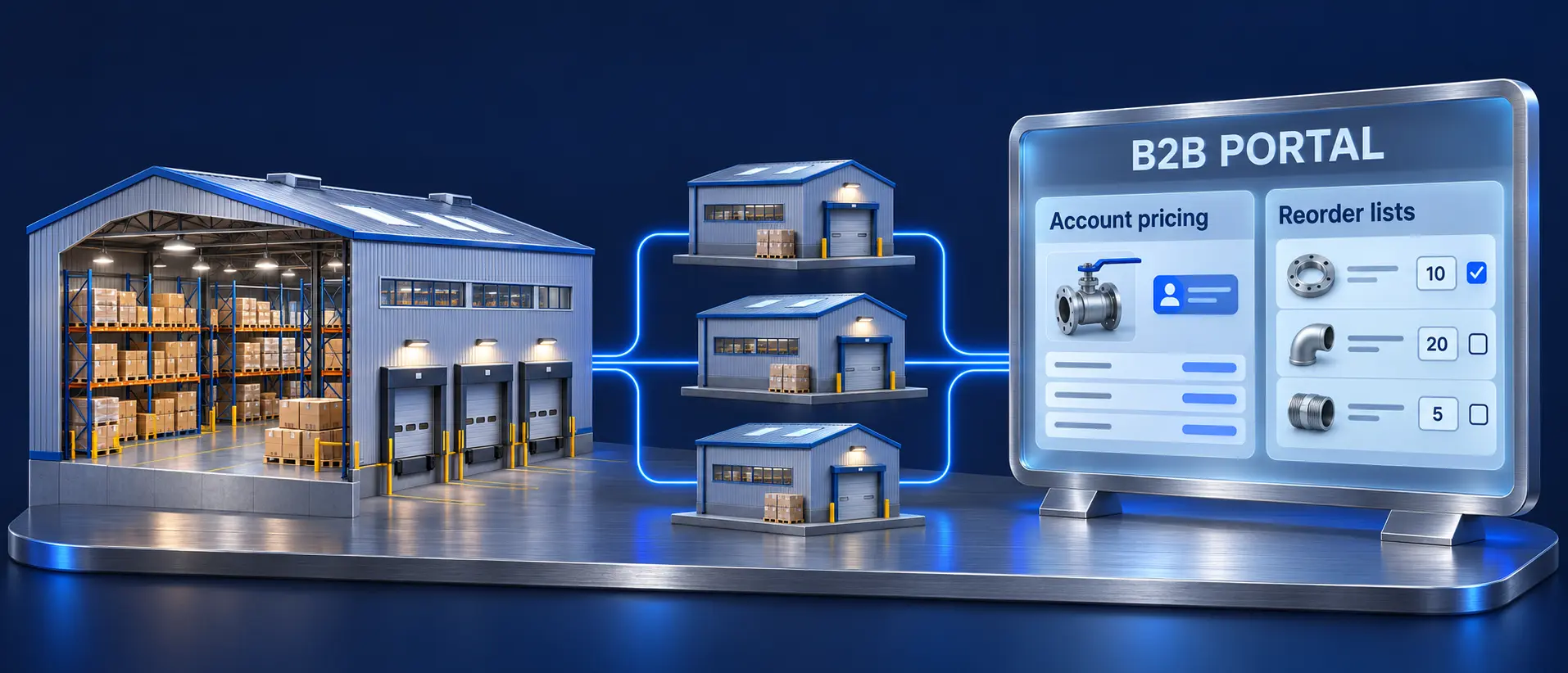

A distributor’s B2B ecommerce project goes better when you decide what the ERP keeps doing before you pick a storefront. Contract prices, branch stock, credit holds and unit-of-measure rules already live in Infor CSD, Prophet 21 or NetSuite, and every one of them has to reach the buyer correctly or your best accounts go back to the phone. This guide treats B2B ecommerce for distributors as a requirements problem: 16 capabilities distributors need, where each one should live (platform, ERP or connector), how Adobe Commerce, Shopify, Shopware and BigCommerce cover them, which ERP connectors exist for each, and a portal checklist you can take into vendor demos.
What does ecommerce for distributors need that a retail store doesn’t?
A distributor site has to show each account its own price, its own stock picture and its own buying rules, calculated from the ERP, on catalogs that often run past 50,000 SKUs. Retail ecommerce sells one price to anonymous shoppers. Distribution sells negotiated prices to known accounts with several buyers, several ship-to addresses and open invoices.
That changes the evaluation. A clean checkout in a demo proves little. Test whether the platform can hold company accounts and buyer roles, display ERP-calculated pricing without rebuilding it, and let a buyer reorder 40 lines faster than a call to the branch.
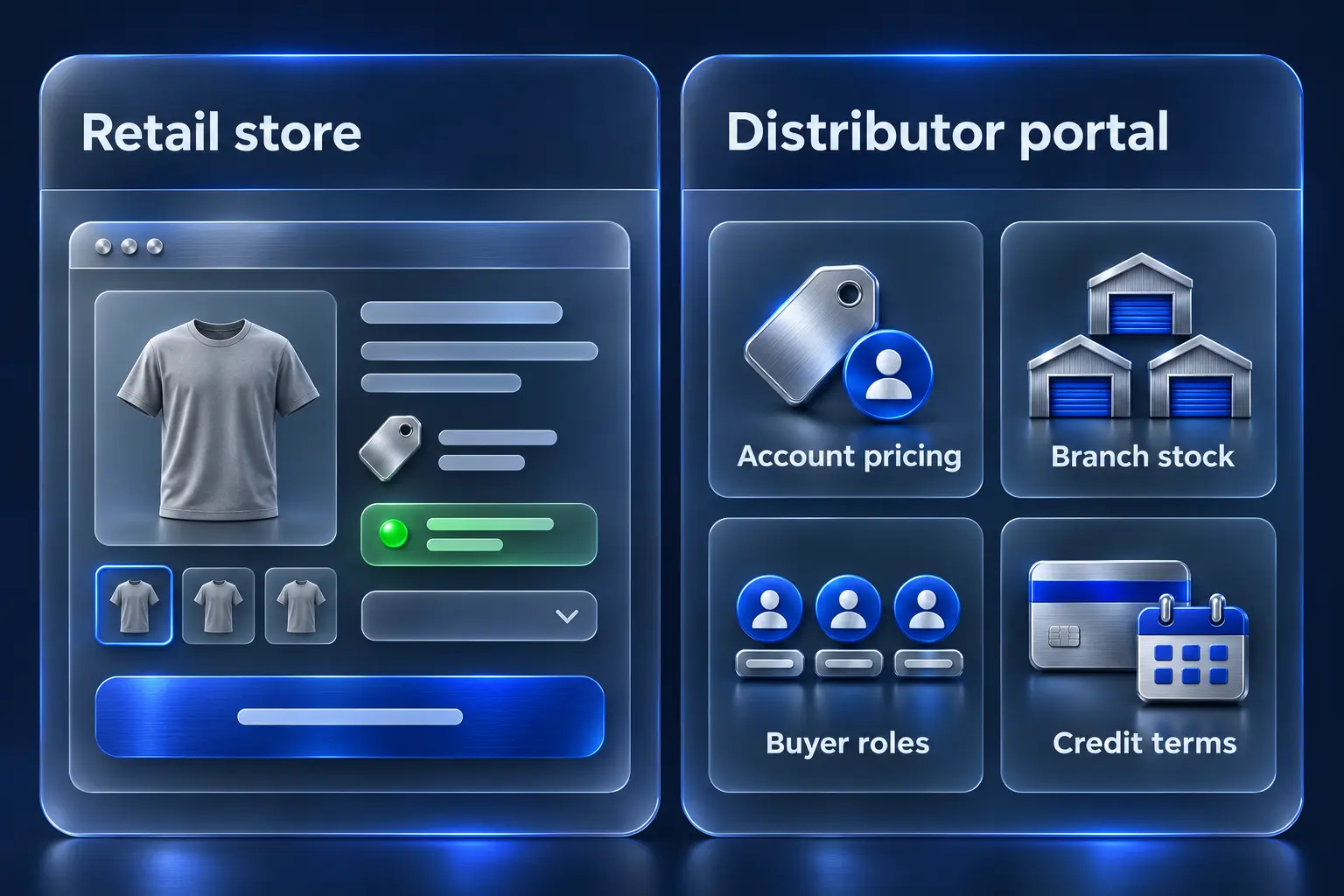
Distributor requirements: what you need, why, and where it lives
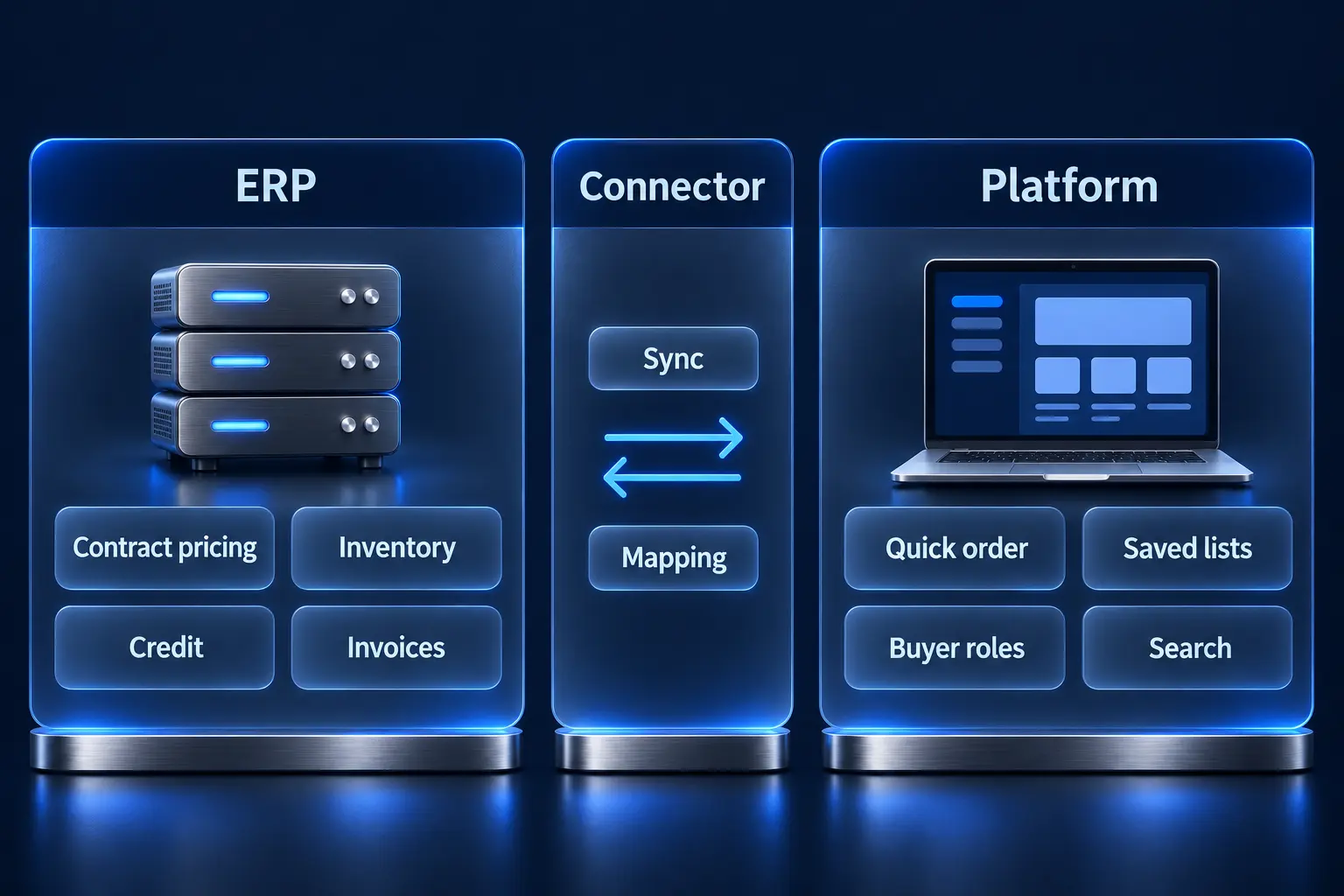
Each requirement below has a natural home. “Platform” means the commerce platform handles it natively or with configuration. “ERP” means the ERP stays the system of record and the storefront displays the result. “Connector” means the result depends on how the integration layer syncs with or calls the ERP.
| # | Requirement | Why it matters for distributors | Where it lives |
|---|---|---|---|
| 1 | Customer-specific and contract pricing | Contract, matrix and job pricing decide margin; a wrong price online costs trust faster than a slow page | ERP calculates; connector delivers it live or near-live; platform displays |
| 2 | Multiple ship-to addresses per account | One customer can buy for many job sites or branches, each with its own tax and freight rules | ERP holds ship-tos; platform shows them per buyer; connector keeps them in sync |
| 3 | Units of measure and case packs | Buyers order eaches, boxes and pallets; the order must reach the ERP in a unit it accepts | ERP owns unit conversions; platform enforces increments and minimums |
| 4 | Real-time inventory by branch or warehouse | Buyers choose pickup or delivery based on which branch has stock | ERP (or WMS) owns quantities; connector syncs; platform shows availability by location |
| 5 | Quick order by SKU and CSV upload | Repeat buyers know their part numbers and want to paste or upload a list | Platform |
| 6 | Reorder lists and reorder from past orders | Most distributor revenue is replenishment; reordering must beat a phone call | Platform, with order history from the ERP via the connector |
| 7 | Account hierarchies and buyer roles | Parent companies, branches, buyers and approvers need different rights | Platform (company accounts), seeded from ERP customer records |
| 8 | Approval workflows | Orders above a spend threshold need a manager or purchasing sign-off | Platform |
| 9 | Credit limits, terms and online invoices | Accounts buy on terms; a credit hold in the ERP must stop or flag the online order | ERP owns credit and receivables; connector exposes balances and invoices; platform displays and collects payment |
| 10 | Quotes | Large or project orders are quoted by a rep before they are ordered | Platform or ERP, depending on where pricing authority sits (see the quoting note below) |
| 11 | Punch lists and job lists | Contractors build material lists per job and release them in stages | Platform (saved lists by job), often custom |
| 12 | Search that works at 100,000+ SKUs | Buyers search by part number, manufacturer number, cross-reference and attribute | Platform plus a dedicated search engine; product data from PIM or ERP |
| 13 | Rep-assisted ordering | Inside sales reps place orders for accounts and need the same prices the buyer sees | Platform (rep login or acting on behalf of the buyer), priced by the ERP |
| 14 | Order status, shipment tracking and proof of delivery | “Where is my order” calls are the most common reason buyers phone a branch | ERP and carrier data via the connector; platform displays |
| 15 | Non-catalog and special-order items | Distributors sell items that aren’t in the online catalog | Platform (custom line items) plus ERP order entry rules |
| 16 | Procurement integration (PunchOut) | Some large accounts buy only through their procurement system | Platform plus a PunchOut provider; scope it when named accounts require it |
Two decisions save the most rework. First, decide pricing authority before choosing a platform: if the ERP calculates price, the storefront should request it and leave the pricing rules in the ERP. Second, map units of measure and case packs early, because the platform’s order increments and the ERP’s unit conversions must agree line by line. On Adobe Commerce, order increments are native (Enable Qty Increments and Minimum Qty per customer group), but selling one SKU in several units usually needs custom Magento development.
In our own launches, the most frequent problems after go-live were slow ERP calls at checkout and stalled sync queues, which is why rows 1 and 4 depend as much on how the connector is built as on the platform.
Which distributor B2B ecommerce platform covers these natively?
All four platforms cover company accounts, customer-specific pricing and reorder lists. They differ on approvals, credit and order quantity rules, which are the rows distributors feel most after launch. The table reflects each vendor’s own documentation as of October 2026.
| Requirement | Adobe Commerce (B2B extension) | Shopify (B2B) | Shopware (B2B Components) | BigCommerce B2B Edition |
|---|---|---|---|---|
| Company accounts and buyer roles | Company hierarchy with roles and permissions | Companies and locations; location-level permissions on all plans (plan features) | Employee Management and Organisation Units (B2B Components) | Multi-company hierarchy and role-based access (B2B Edition) |
| Customer-specific pricing | Shared catalogs with custom prices per company | Catalogs: up to 3 on Basic, Grow and Advanced; unlimited and company-specific on Plus | Individual Pricing, Advanced Product Catalogues | Price lists |
| Multiple ship-tos | Each buyer keeps an address book. A shared company address book comes with the B2B storefront components released in July 2026, on Adobe Commerce as a Cloud Service and on PaaS, but not on the classic Luma storefront | Company locations, plus one-time shipping addresses (B2B features) | Shipping and billing addresses per Organisation Unit | Company address book with pre-approved billing and shipping addresses |
| Quick order by SKU or file | Quick Order: SKU or name, many SKUs at once, add from file | Quick order list adds several variants of one product from the product page | Quick Orders by product number, plus CSV upload | Quick Order Pad for SKU entry; confirm bulk CSV upload in the demo |
| Order increments and minimums | Qty increments; minimum quantity per customer group | Quantity rules: minimum, maximum, increments | Purchase steps and minimum and maximum order quantity; the selling and packaging unit fields are labels, not enforced case packs (product fields) | Minimum and maximum quantity per product natively; case-pack increments need an app |
| Reorder lists | Requisition lists | Easy reorders from past orders | Shopping Lists | Shared shopping lists and easy reorders |
| Approval workflows | Purchase orders with approval rules set by the company admin, by order total or number of SKUs | Checkout to draft per company location, for merchant review; no buyer-side approval rules | Order Approvals with roles and rules; a unit’s Budget triggers approval when exceeded | Shopping lists approved by senior buyers or company admins |
| Credit and terms | Company credit: Payment on Account, credit limit, option to exceed | Net 7, 15, 30, 45, 60 or 90 terms, payment reminders, saved cards, ACH (US); deposits and partial payments on Plus only | No native credit limit (third-party Shopware Store extensions add one); a unit’s Budget sends orders over its limit to approval | Net terms, purchase orders, company credit management, and an Invoice Portal where buyers pay invoices online |
| Quotes | Negotiable quotes started by buyer or rep | Draft orders with price lock and invoice from draft | Quote Management: buyer requests, merchant edits and returns | Rep-built quotes with extra discounts; buyers request quotes in the Buyer Portal |
| Rep-assisted ordering | Login as Customer, enabled per buyer account | Sales staff permissions limited to assigned companies; draft orders | Sales Agent: a separate front-end app that developers build and host from Shopware’s repository, not a setting you switch on | Sales rep masquerade |
Our read on each, for a distributor:
- Adobe Commerce has the deepest native B2B set (credit, purchase-order approvals, negotiable quotes, quick order from file) and the most room for custom distributor logic. It asks the most of your development and hosting budget. Our guide to Magento B2B features covers each module in detail, and the platform needs OpenSearch 3 on Adobe Commerce 2.4.9, which matters for large catalogs.
- Shopify B2B is no longer Plus-only. Basic, Grow and Advanced get most B2B features with a cap of 3 catalogs; Plus adds unlimited catalogs, deposits and partial payments. Buyer-side approvals and credit limits move into apps or the ERP. It fits distributors with simpler account structures who want low platform maintenance.
- Shopware covers approvals, budgets, quotes and CSV quick order in its B2B Components, which Shopware includes from the Evolve plan. Case packs and a sales-rep app need development work. It fits mid-market distributors who want native B2B depth without Adobe’s cost profile.
- BigCommerce B2B Edition covers most rows of the table, including a company address book and online invoice payment. Case-pack increments need an app, and confirm CSV quick order in the demo. Our BigCommerce B2B development page describes how we build on it.
A headless front end rarely changes this table. Our introduction to headless commerce explains when a separate front end earns its cost; for most distributors, the ERP connection decides more than the presentation layer does. If you want a side-by-side of the same four platforms for wholesale models, see our platform comparison for wholesale businesses.
How does each platform fit common distribution ERPs?
Start the platform decision from the ERP, because the connector options narrow the field faster than feature lists do. The table shows who publishes each connector as of October 2026. “Third-party” means an independent developer’s listing on the platform’s official marketplace. Where no ERP vendor, platform vendor or Atwix connector exists, plan for middleware or a custom integration.
| ERP | Adobe Commerce | Shopify | Shopware | BigCommerce |
|---|---|---|---|---|
| Infor CloudSuite Distribution (CSD) and SX.e | Sirius (Atwix) | No Infor or Atwix connector in production; Infor’s own Shopify app covers M3 only | Sirius (Atwix) | No Infor, BigCommerce or Atwix connector |
| Epicor Prophet 21 | No Epicor or Atwix connector; check the Adobe Commerce Marketplace | No Prophet 21 app on the Shopify App Store | No Epicor or Atwix connector; check the Shopware Store | One third-party app, for order and invoice lookup only |
| Oracle NetSuite | Oracle’s NetSuite Connector, B2C only; third-party extensions; Atwix has delivered NetSuite integrations here | Oracle’s NetSuite ERP Connector, with a B2B plan that syncs B2B orders and customers | No Oracle, Shopware or Atwix connector; integration-platform (iPaaS) vendors sell NetSuite connectors for Shopware | Oracle’s NetSuite Connector, B2C only; third-party apps |
| SAP Business One | Third-party extensions | Third-party apps | Third-party extensions covering products, stock, prices, orders and customers | Third-party app covering products, inventory, orders, customers and ship-tos |
| Microsoft Dynamics 365 Business Central | Third-party extensions | Microsoft’s Shopify Connector, which exports customers as Shopify B2B companies with payment terms, locations and catalogs | Shopware’s own Business Central integration with B2B price groups; third-party extensions | No Microsoft, BigCommerce or Atwix connector |
Sirius is the ERP connector Atwix builds and maintains for Infor CloudSuite Distribution and SX.e. In production, it connects those ERPs to Adobe Commerce and Shopware storefronts, syncing products, inventory, customer data including account hierarchies and pricing tiers, orders, and customer-specific, tiered and contract pricing pulled from the ERP. Our Infor integration service covers the wider Infor family, including FACTS, A+, M3 and CSDE. If you run Prophet 21, our Prophet 21 integration guide covers where P21 integrations fail.
ERP vendors also sell their own storefronts. Infor sells Infor Rhythm for Commerce for its own ERPs; ask Infor which versions it supports today. Epicor sells Epicor Commerce Connect, built on Magento, which lists Prophet 21, Kinetic, BisTrack and Eclipse. Oracle sells SuiteCommerce for NetSuite. They suit distributors that want one vendor for both; ask for references on your ERP version.
One quoting capability is ERP-specific. Shared Quotes, a Sirius feature launched in May 2026, runs on Infor CloudSuite Distribution with Adobe Commerce: the rep builds the quote in CSD and sends a unique link, and the buyer opens a ready checkout with no login required. The ERP calculates every price, and the quote converts to an ERP order under the same ID.
On NetSuite, SAP Business One and Business Central, most platforms have a connector, but what it syncs varies. Oracle’s NetSuite Connector offers B2B only on Shopify, and some third-party apps move product data but not contract prices, company accounts or credit. Ask to see your price rules and a company account sync before you count a connector. On Adobe Commerce, Atwix has delivered NetSuite integrations both as custom builds and through an integration platform, through our ERP integration services.
Whichever ERP you run, test three things before you sign:
- Price call or price copy. Ask whether the storefront requests the price from the ERP when the buyer views a product or cart, or copies the pricing rules. Copied rules drift.
- Inventory freshness. Ask how often branch quantities update and what the buyer sees when the ERP is unreachable. Our post on real-time inventory management for distributors covers the batch-sync failure pattern.
- Order write-back. Ask what happens when the ERP rejects an order line (wrong unit, credit hold, discontinued SKU) and who gets alerted.
For Magento storefronts specifically, our Magento 2 ERP integration guide walks through the implementation, and our overview of ERP systems that pair well with Magento covers connection options. If you are still choosing the ERP itself, start with the best ERP for distribution companies and then our ERP integration comparison for wholesale distributors. The business case for connecting the two is in the benefits of integrated ecommerce for B2B.
If your ERP is Infor CSD or SX.e, see how Sirius connects it to Adobe Commerce or Shopware before you shortlist platforms.
Distributor portal feature checklist
The account portal is where repeat buyers spend their time, so it should answer every question a buyer would otherwise phone in. Use this checklist in demos and ask the vendor to show each item logged in as a real test account with contract pricing.
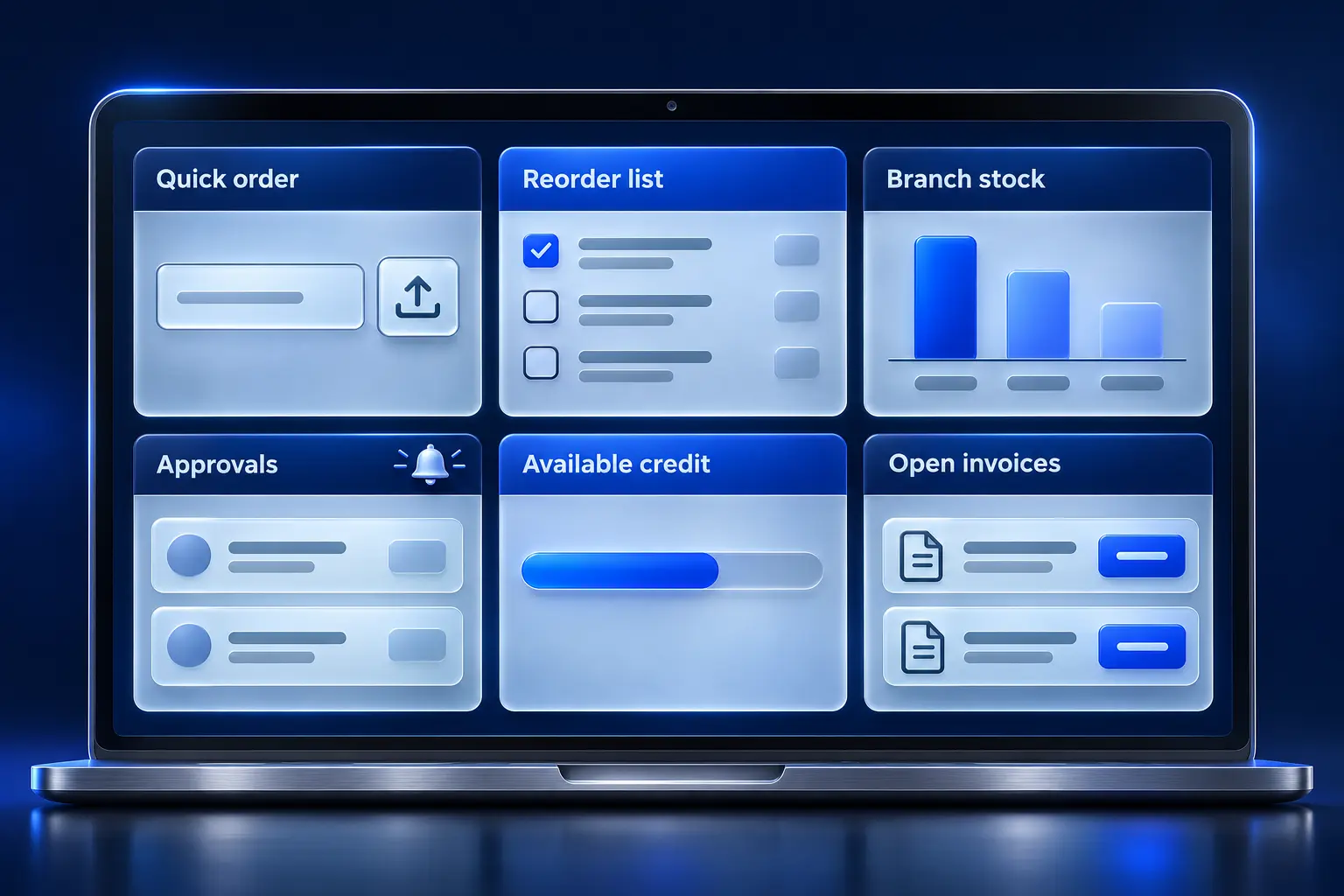
Ordering
- Quick order pad accepts SKUs, customer part numbers and a CSV or spreadsheet upload
- Reorder from any past order, including orders placed by phone or EDI
- Saved lists per buyer and per job, shareable across the account
- Order increments and case packs enforced before checkout, with a clear message
- Branch-level availability and a pickup or delivery choice per line
- Special-order or non-catalog lines with notes
Account and users
- Parent account with branches or locations, each with its own ship-tos
- Buyer, approver and admin roles; spend limits per buyer
- Approval queue with email notification and approval from mobile
- Customer admin can add and remove their own users
Finance
- Credit limit, available credit and terms visible to authorized users
- Open invoices, statements and online payment (card and ACH)
- PO number required or optional per account
- Tax-exempt certificates stored per ship-to
Service
- Order status that matches the ERP, including backorders and partial shipments
- Tracking numbers and proof of delivery
- Returns requested from the portal
- Downloadable documents: spec sheets, SDS and invoices
Sales rep tools
- Rep logs in as or on behalf of an account, with the account’s pricing
- Rep builds a quote the buyer can accept and pay online
- Rep sees which of their accounts ordered online this week
Portals fail on adoption more often than on features. Our analysis of why most B2B portals fail covers the architecture side, and why your best customers still order by phone covers the trust side. For a vendor-by-vendor view of portal software, see our client portal software comparison.
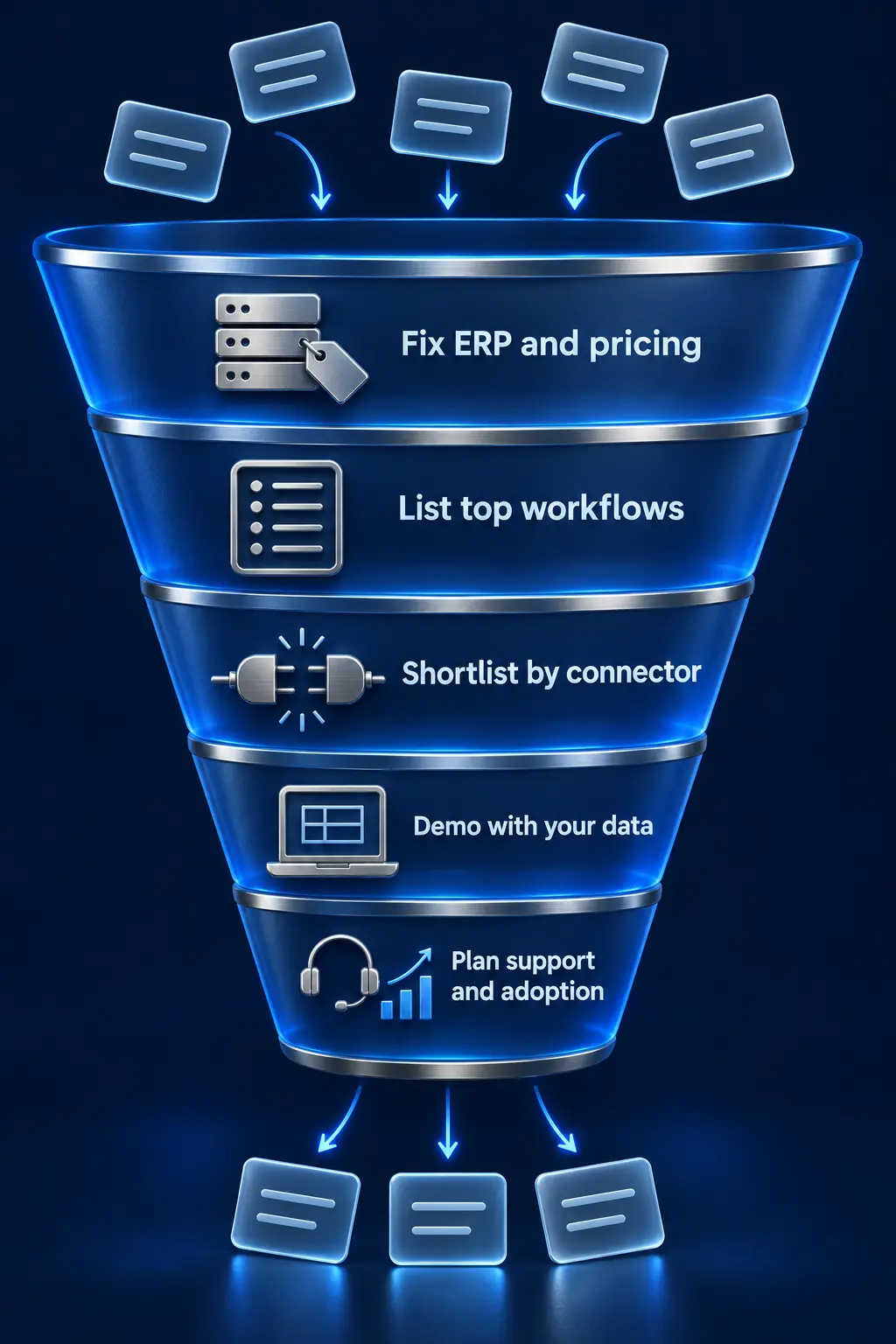
How to choose: a five-step selection sequence
Run the decision in this order, and let each step remove options before you compare demos.
- Fix the ERP and the pricing authority. Write down which ERP version you will run for the next five years and whether it calculates price at runtime. If an ERP upgrade is planned, sequence it first or in parallel on purpose, never by accident.
- List your top ten account workflows. Take a hypothetical distributor with 60,000 SKUs, three branches and 900 active accounts, a third on contract pricing. Its top workflows might be: reorder last month’s order, check branch stock, upload a 40-line list, get approval above $2,500, pay two invoices. Score each platform on those workflows.
- Shortlist by connector. Use the ERP table above. A platform with only a third-party app or no connector for your ERP is still possible, but budget the integration as its own project.
- Demo with your data. Send each vendor 500 real SKUs with units of measure, three real accounts with contract pricing, and one account with a credit hold. Ask them to show all three.
- Plan support and adoption. Budget for post-launch support, whether that is our Magento support services or another team, and a rep-led rollout to your top accounts.
If you are moving off an old Magento 1 build or another legacy platform, our Magento migration services page describes how we move catalogs and customer data. For platform architecture questions before a build, our Magento consulting services cover Adobe Commerce specifically. Manufacturers selling through distributors face a different set of requirements, covered in B2B ecommerce solutions for manufacturers.
Budget and timeline. Cost depends mostly on the ERP integration and how much custom B2B logic the portal needs. As our ERP integration cost guide shows, the integration alone typically runs $15,000 to $50,000 with a pre-built connector and $75,000 to $300,000 or more as a custom build. A full distributor build, with storefront, portal and integration, usually comes to a low-to-mid six-figure budget. On timelines, Atwix has delivered a custom B2B portal in 8 weeks and a full distributor replatform in 13 months (both below), and a Sirius deployment for Infor CSD or SX.e typically takes 6 to 12 weeks.
What Atwix distributor projects show
These B2B distributor ecommerce projects map to rows in the requirements table. Each figure below comes from the published case study; see the full Atwix portfolio for more.
| Client | What they sell | Stack | Requirements it shows | Result in the case study |
|---|---|---|---|---|
| PowerPak | Safety supplies and PPE for the building industry, same-day delivery | Adobe Commerce | Quick order for B2B users (row 5), faster catalog and product pages | Client quote: “we’ve seen our eCommerce grow 230% in the last year”; average cost per order down 6%; ecommerce retention at 89% |
| Turf Care | Parts and equipment for golf courses, municipalities and landscape businesses | Adobe Commerce + Infor CSD | 120,000+ SKUs (row 12), rebuilt ERP sync for pricing, inventory and orders (rows 1, 4), interactive parts diagram | Stabilized integration and shipping logic for a business that grew revenue roughly 70% in five years |
| Graphic Solutions Group | Wholesale distribution to the sign and apparel-decorating markets | Adobe Commerce + Infor CSD | Real-time and customer-specific pricing (row 1), real-time inventory across warehouses (row 4), site search (row 12) | Replatform completed in 13 months with zero downtime and no negative impact on sales |
| Halron | Midwest distributor to industrial and commercial clients | Shopware + Infor CloudSuite Distribution | Ship-to accounts and billing (row 2), customer-specific product restrictions and regional pricing logic (row 1) | Moved off a closed platform to Shopware, with product, pricing and customer data synced from CSD |
| Reinders | Turf and irrigation supplies | Adobe Commerce | Search with ElasticSuite (row 12), backend tuning for large carts | Load times improved even for large cart checkouts; a B2B rewards program launched on Adobe Commerce |
| Coastal Business Supplies | Printing and sublimation materials | Magento | Rebuild for speed and stability, B2B product options | The site handles about 80% of printer, vinyl and paper sales, which is 65% of company revenue |
| Byrne Electrical Specialists | Electrical products (manufacturer selling B2B) | Adobe Commerce Cloud | Non-catalog products (row 15), ERP order transfer, customer shipping accounts, save cart as PDF | Custom B2B portal delivered in 8 weeks |
Quoting adds one more data point. A US distributor on Infor CSD and Adobe Commerce that launched Shared Quotes in May 2026 saw quotes drive 36% of all web revenue from 11% of orders within three months. Other changes launched at the same time, so we don’t attribute the full result to Shared Quotes. Our CPQ guide for distributors has the details and explains why we quote in the ERP.
Atwix has been the #1 global Magento code contributor from 2018 to 2025 and holds partner status with Adobe (Gold), Shopify (Plus), Shopware (Platinum) and BigCommerce (Certified), listed on our partners page.
Common mistakes in distributor ecommerce projects
- Copying ERP pricing rules into the platform. It works at launch and drifts the first time someone changes a rule in the ERP and not on the site. Call the ERP or sync calculated prices.
- Treating units of measure as a catalog detail. Map every selling unit to an ERP unit before the first import.
- Launching to all accounts at once. Start with ten accounts that order weekly, fix what they report, then expand.
- Leaving reps out. If reps are paid on phone orders and not on online orders from their accounts, adoption stalls.
- Scoping PunchOut by default. Build it when a named account requires it and the revenue justifies the upkeep.
FAQ
What is the best B2B ecommerce platform for distributors?
No single platform wins for every distributor; the ERP decides first. Adobe Commerce has the deepest native B2B feature set, Shopware covers approvals and quotes natively from its Evolve plan, Shopify offers most B2B basics on every plan, and BigCommerce B2B Edition adds hierarchies, quick order and an invoice portal. Pick the platform with a maintained connector for your ERP and the native features for your top ten workflows.
Can Shopify handle B2B for distributors?
Yes, for many distributors. Shopify’s B2B features include companies and locations, net terms, quantity rules, volume pricing and quick order lists on all plans, with unlimited catalogs, deposits and partial payments on Plus. Buyer-side approval rules and credit limits aren’t in Shopify’s B2B feature list, so plan those in an app or the ERP.
Should pricing be calculated in the ERP or in the ecommerce platform?
In the ERP, if the ERP already calculates contract and matrix pricing. The storefront should request or receive the calculated price, not rebuild the rules. Keep platform-side pricing for simple tier discounts the ERP doesn’t manage.
Do distributors need PunchOut?
Only if specific accounts buy through a procurement system and require it. PunchOut adds a connection per procurement platform, so tie the decision to named accounts and their order volume. Atwix delivers PunchOut with TradeCentric: TradeCentric handles the connection to procurement systems, and we build the storefront and ERP side.
How long does a distributor B2B ecommerce project take, and what does it cost?
It depends on scope and ERP. In Atwix projects, a custom B2B portal took 8 weeks and a full distributor replatform with Infor CSD took 13 months. Connecting Infor CSD or SX.e through Sirius typically takes 6 to 12 weeks. The ERP integration alone typically costs $15,000 to $50,000 with a pre-built connector and $75,000 to $300,000 or more as a custom build, and a full distributor build with storefront, portal and integration usually comes to a low-to-mid six-figure budget.
How do we get customers to order online instead of calling?
Make reordering faster than a call, show the same price the rep would quote, and roll out account by account with the rep’s involvement. Adoption follows trust in price and stock accuracy more than design.
Plan your distributor platform around the ERP
If you are choosing a platform for a distribution business, bring your ERP version, SKU count and top account workflows to the first conversation. Our B2B ecommerce development team will map them against the requirements table above and tell you which platform and connector combination fits. Talk to our B2B team.