

If you run a distribution business, you probably have a loyalty program already. It just doesn’t look like one. It’s the year-end rebate your biggest accounts negotiated, the discount you give for ordering before the season, and the rep who waives freight for a customer who has bought from you for twelve years.
None of that shows up when a buyer logs in to your webstore. They can’t see what they’ve earned or what they’d get for ordering online, so the program has no say in how they place their next order. This guide covers what B2B loyalty programs are, what’s worth rewarding, and how to set one up on Adobe Commerce, with an example from the turf and irrigation industry.
What is a B2B loyalty program?
A B2B loyalty program rewards business customers for the buying habits you want more of, like ordering online, giving you more of their spend, or hitting volume tiers. The reward can be points, credit toward future orders, a rebate, or better terms.
The difference from a coffee-shop punch card is that two people are involved. The purchasing agent at a landscaping contractor places the order, and the owner pays the invoice. The owner cares about price and rebates. The buyer cares about getting the order in fast and right. A program that works gives each of them a reason to stay with you.
Do B2B loyalty programs work?
They work when the reward is tied to something that saves money on both sides and the buyer can see where they stand while ordering. They don’t work when they pay out on orders the customer would have placed anyway, or when the balance lives in a spreadsheet only accounting opens.
For most distributors, the biggest payoff is getting more orders onto the webstore. Every order a customer places online is one your inside sales team doesn’t have to type in. A reward helps, but it can’t make up for a webstore that’s slower than calling their rep. If your best customers still pick up the phone, read why your best customers still order by phone first.
What should a distributor’s loyalty program reward?
Reward the habits that cost you money when they’re missing. These fit most distributors and manufacturers.
| Habit to reward | Why it matters to you | Reward that fits |
|---|---|---|
| Placing orders on the webstore instead of calling or emailing | Your team stops retyping orders, and entry errors drop | Bonus points on online orders for the first few months |
| Reaching quarterly volume tiers | The account is less likely to split orders with a competitor | A higher earn rate or rebate at each tier |
| Buying from more of your product lines | Revenue per account grows without the cost of finding new customers | Extra points on categories the account hasn’t bought before |
| Ordering ahead of the season | You plan purchasing and warehouse space with fewer surprises | Extra credit on early orders |
| Bringing more buyers from the same company online | The whole account moves to the webstore, not one person | Points when a new company user places a first order |
Don’t try to reward all five. Pick the two or three that matter most to your business, so buyers remember them and you can tell whether the program changed anything. In Adobe Commerce, cart price rules can award reward points on their own or together with a discount, which covers time-limited bonuses like these (Adobe documentation).
Who earns the reward: the buyer or the company?
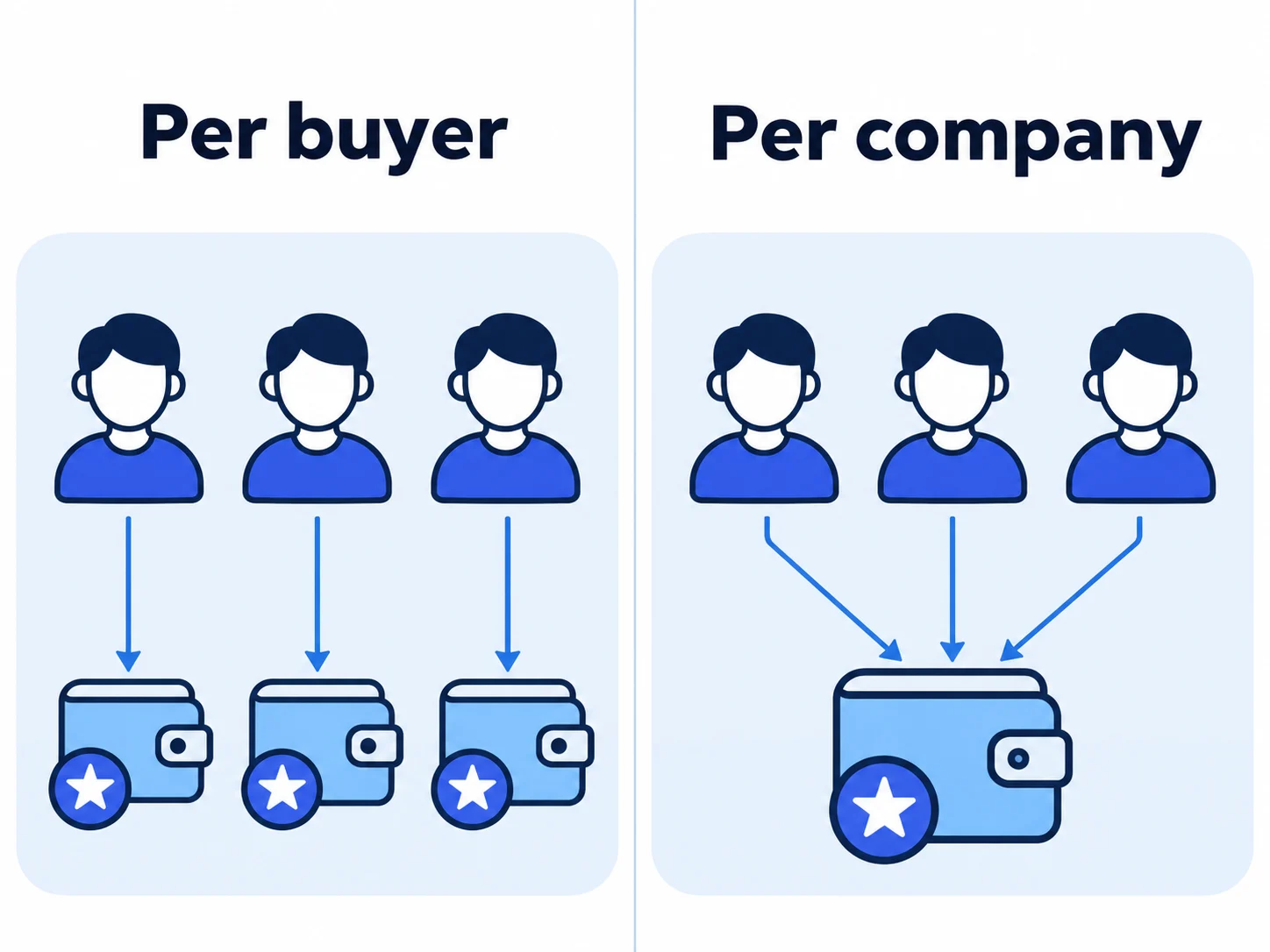
Settle this before anyone touches configuration, because Adobe Commerce already has a default. It keeps reward points balances per customer account (Adobe documentation). In Adobe Commerce B2B, each person who buys for a company has their own customer account, and the platform adds them to the company’s customer group (Adobe documentation). If five buyers at one contractor order from you, they build five separate balances.
That works if you want to motivate the people placing the orders. It works less well if the owner expects the value to come back to the company, or if buyers leave and strand their points. One shared balance per company needs custom development or an extension.
Earn rates are simpler. Adobe Commerce sets reward exchange rates per website and per customer group, so your top-tier accounts can earn at a better rate than everyone else (Adobe documentation).
How to run a B2B loyalty program on Adobe Commerce
Reward points come with Adobe Commerce. Magento Open Source doesn’t have them, so an Open Source store needs an extension or a custom module. On Adobe Commerce, these five decisions matter most for a B2B program.
Step 1: Decide which system owns the balance
If your ERP already calculates rebates, keep it as the source of truth and have the webstore display that number. When two systems calculate the same reward, the numbers drift apart, and your customer service team ends up explaining why the webstore says one thing and the statement says another. Points that exist only on the webstore can live in Adobe Commerce. Either way, data moves between the two systems, so treat this as an ERP integration project as much as a marketing one.
Step 2: Set earn and redeem rates per customer group
In the admin, go to Stores > Other Settings > Reward Exchange Rates and add a rate in each direction: Currency to Points for earning and Points to Currency for redeeming. When several rates apply to one customer, the most specific wins, so a rate for one website and one customer group beats a rate for all websites and all groups.
Points convert in whole blocks. If $2.00 earns ten points, a $7.00 order earns 30 points and the leftover $1.00 earns nothing. Also check that Purchase is set to Yes under Actions for Acquiring Reward Points by Customer, or orders won’t earn points at all.
Step 3: Check when points post
Adobe Commerce awards points only once every item on the order is invoiced or canceled. Points are based on what you receive: the grand total minus shipping, tax, discounts, store credit, and gift cards. This matters when your ERP handles invoicing. If the invoice never makes it back to Adobe Commerce, the order stays open on the webstore and the customer never gets their points. Place a real test order and follow it all the way through before launch.
Step 4: Show the balance where buyers already look
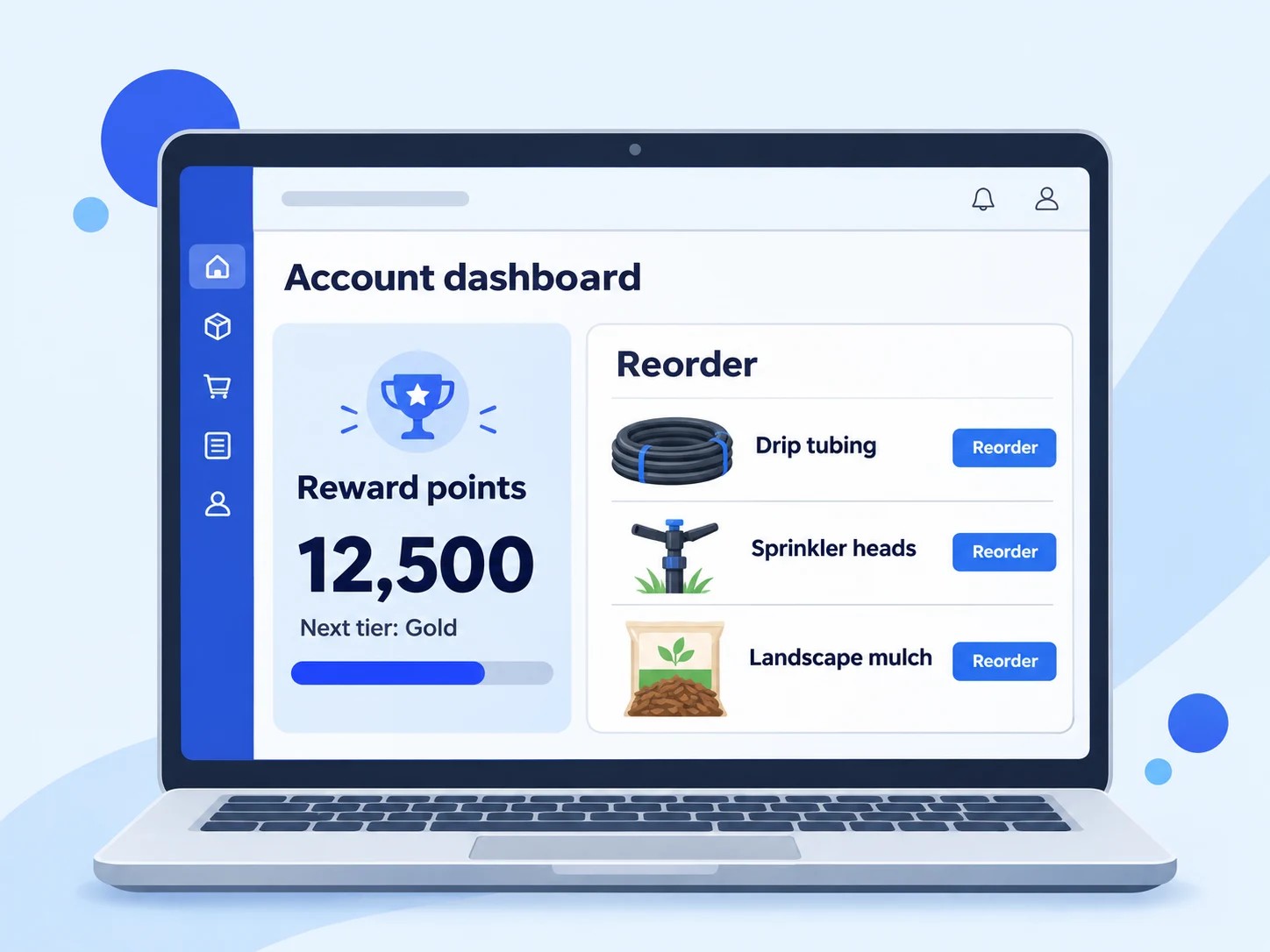
Adobe Commerce shows the balance in the customer’s account, shows the points history if you turn that setting on, and lets buyers apply points at checkout (Adobe documentation). Repeat B2B buyers spend most of their time on quick order and reorder pages, though, so show the balance and the next tier there too. That takes some front-end work, and it puts the reward in front of buyers while they decide what to order.
Step 5: Set caps, expiry, and refund rules on purpose
Under Stores > Settings > Configuration > Customers > Reward Points, you set the minimum balance before redemption, a cap on the total balance, and how many days points last. Match expiry to how your customers buy. A contractor who does most of their buying in spring shouldn’t lose points over the winter. Turn on Deduct Reward Points from Refund Amount Automatically, so the points an order earned are taken back when that order is refunded.
Planning a rewards program on Adobe Commerce? Our B2B ecommerce team can help you scope the configuration and the ERP data flow behind it.
Example: the Reinders B2B rewards program
Reinders is a turf and irrigation company whose customers place large B2B orders through its webstore. As part of a wider project with Atwix, Reinders launched a B2B Rewards Program on Adobe Commerce (Reinders case study). The same project improved product search with ElasticSuite and sped up the site through backend work, including checkout for large carts.
That combination is worth copying. A rewards program only pulls buyers to a webstore they’re willing to use, and Reinders launched theirs alongside fixes to search and checkout. According to the case study, the program increased loyalty and engagement among Reinders’ B2B buyers.
Common mistakes with B2B loyalty programs
- Rewarding orders you’d get anyway. Points on every dollar from your largest account cost margin and change nothing about how they buy. Tie rewards to the habits in the table above.
- Running webstore points on top of an ERP rebate without reconciling them. The customer sees two numbers for the same relationship, and your team spends its time explaining the difference.
- Hiding the balance. If buyers have to go looking for it, it won’t affect the order they’re placing right now.
- Launching before the webstore is ready. No reward will pull buyers to a site where search misses products they know you carry or prices don’t match what they negotiated.
Frequently Asked Questions
Got some questions? We’re here to answer. If you don’t see your question here, drop us a line using our Contact form.
What is a B2B loyalty program?
A B2B loyalty program rewards business customers for the buying habits you want more of, such as ordering online, consolidating spend with you, or reaching volume tiers. Rewards include points, order credit, rebates, or better terms.
Do B2B loyalty programs work?
They work when the reward targets a habit that saves both sides money and buyers can see their progress while ordering. They don’t work as a points layer on spend that would happen anyway.
How is a B2B loyalty program different from a B2C one?
In B2B, the person placing the order usually isn’t the person paying for it, so the program has to give both a reason to stay. Buying also follows seasons and reorder cycles, so tiers and expiry should match that rhythm.
Does Magento have a built-in loyalty program?
Adobe Commerce has reward points built in, with earn and redeem rates you can set per website and customer group. Magento Open Source doesn’t, so you’d add them with an extension or a custom module.
Can loyalty points be shared across a company account?
Not by default in Adobe Commerce. Points sit on each customer account, and each company user has their own account, so one shared company balance needs custom development or an extension.
Plan your B2B rewards program
If you sell to contractors, dealers, or resellers and want more of their orders coming through your webstore, the decisions above are the place to start. Atwix builds and integrates B2B stores on Adobe Commerce, including the ERP data flow behind rewards and rebates.